FOH-200XGS-BASE PON Tester GPON and XGS-PON PON ID Tester
$45.71
$74.96
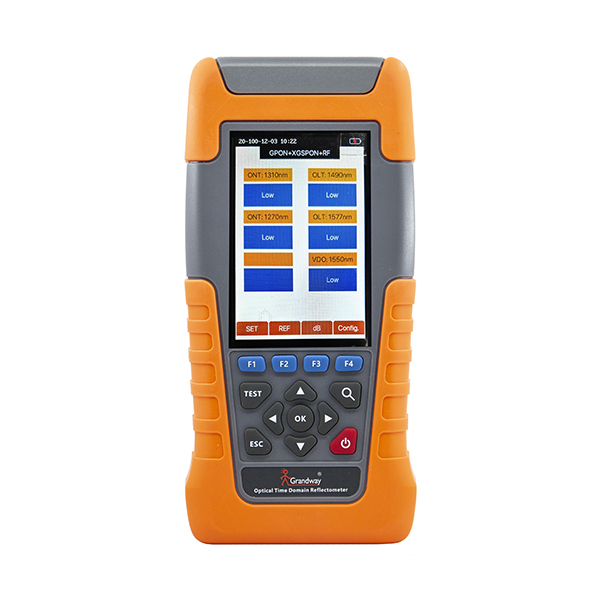
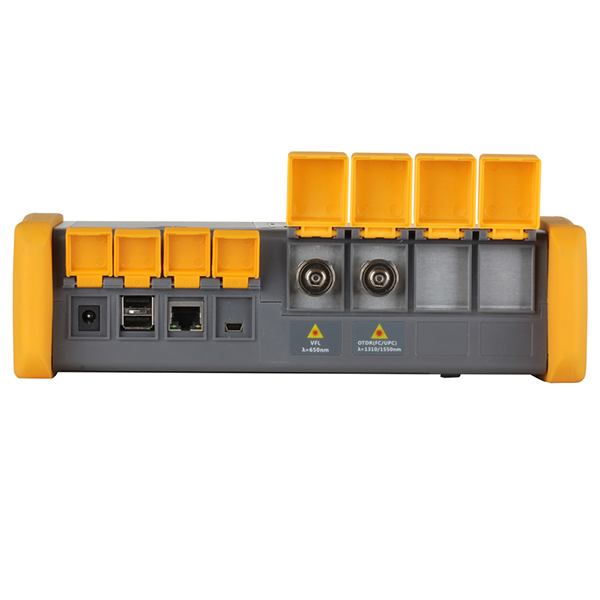
Description: With the upgrade of GPON networks to XG(S)-PON, we have launched the new FOH-200XGS-BASE to apply for the installation and maintenance testing of the upgraded Combo PON network. By connecting FOH-200XGS-BASE to the PON network, we can quickly and accurately extract OLT information including OLT PON-ID, ODN class, Tx power, power level and ODN link loss pass/fail per ITU-T. Features: Automatic PON-ID detection including OLT PON-ID, ODN class, Tx power, and ODN link pass/fail per ITU-T Downlink 1490nm/1577nm selective optical power measurement Compatible with GPON,XG(S)-PON and Combo network Bluetooth connection with phone app Low power consumption for extended continuous use 20W quick charger Specification: PON Data Parsing OLT information: OLT PON-ID, ODN class, Tx power, ODN loss Power Measurement Downlink: 1490mm and 1577nm selective power measurement Optical Interface SC/APC Charging Port USB Type-C charging port, 20W quick charge Display 3.5 inch color screen Wireless Bluetooth connection with phone app Power Supply 5000mAh lithium battery; Input: 5V/2A Dimension 193×94×47mm Weight 570g Operating Temperature -10 ~ 50°C Relative Humidity 5%~95% Non-condensing Instruction Manual Automatic PON-ID detection including OLT PON-ID, ODN class, Tx power, and ODN link pass/fail per ITU-T Downlink 1490nm/1577nm selective optical power measurement Compatible with GPON ,XG(S)-PON and Combo network Bluetooth connection with phone app Low power consumption for extended continuous use Support 20W quick charger Interface Description: Button description: Button name Function F1-F4 Enter the corresponding function in different menu F1: “SET” Enter the setting menu F2: “Save” Save the current test result F4: “FILE” Enter the history files TEST Press Test button to start testing Navigation button Used to control up, down, left and right OK button Used to confirm selection ESC Exit current menu Long press for over 2s to turn on/off Applications: Automatic OLT information analysis for Combo G/XGS-PON Through connecting PON network fiber to the optical port, FOH-200XGS-BASE analysis extracts specific data carried in the G-PON & XGS-PON standardized by ITU-T G.984.3 Amendment 3, including OLT PON-ID, ODN class, Tx power. The usage scenario and results are shown in the following figure: Figure1: Usage scenario Figure2: Test result Pass/Fail Threshold Setting Press F1 “Set” button to enter the setting menu, you can select PON ID format between HEX and ASCII code. Also you can select the PON standard and ODN class level. Meanwhile, you can also customize thresholds for downlink optical power, and total ODN loss. (from OLT to your test location) Bluetooth Connection with Phone APP By scanning the following QR code to download the Android mobile application of FOH-200XGS-BASE, The measurement results of the instrument can be synchronously displayed on the mobile phone. Follow the below steps to connect with phone APP. 1) Click “Connect to Bluetooth” Export PDF Report on Phone APP Click “Export to PDF” on the phone APP and the test result will saved as PDF format.